Aimlabs has removed the subscription requirement from Task Tuning, a tool for changing the structure and behavior of its aim-training exercises. The feature was previously limited to Aimlabs Pro members. In an October 12 announcement, the developer said it is now available to every player without a paywall.
What the free tool can change
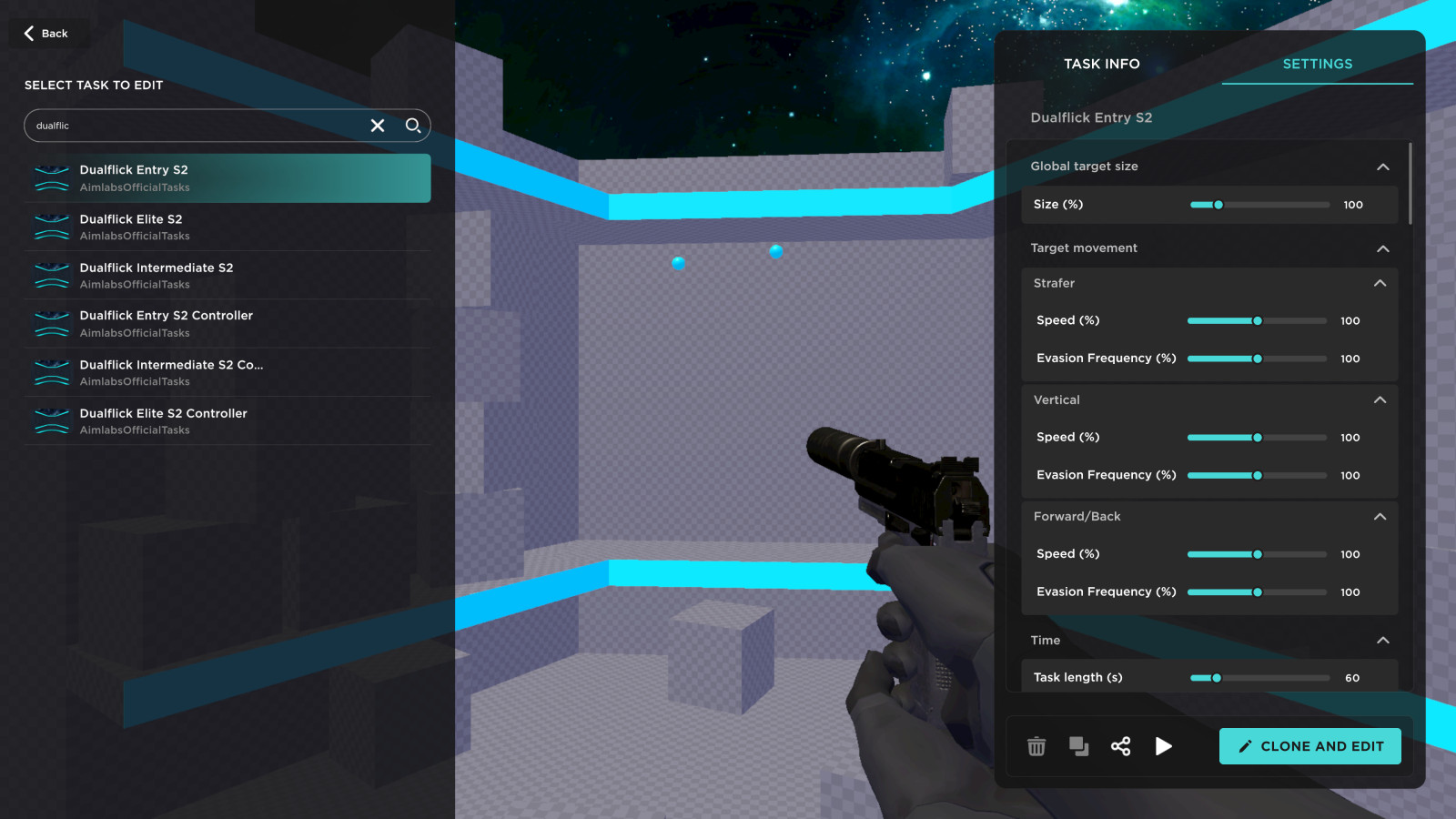
Task Tuning works on existing Aimlabs tasks rather than requiring players to build an exercise from an empty project. Its controls cover target size and movement speed, weapon choice, timer length and camera perspective. That makes it possible to slow a drill down while learning its pattern, raise the pace for a harder session, or switch to an endless timer for uninterrupted practice.
The announcement also ties Task Tuning to the sharing features introduced with Aimlabs 2.0. Customized tasks can be uploaded to Steam Workshop, where other players can find and download them. Creators can set a thumbnail, title and description before uploading, then use the Share control to send a direct in-game link.
How to start editing a task
Players can open the tool from the Create tab, through the information icon on a task, or from the pause menu while a task is running. Aimlabs says the selection screen includes trending tasks, recent sessions and favorites, as well as search. Choosing Clone and Edit creates the version that can be adjusted and saved.
The change is most useful for players who already rely on community drills but need a variation that better fits a specific practice goal. A player can alter one familiar task instead of searching for a close substitute, while teams and training groups can distribute the same settings through Workshop links. The official post does not say that every Pro feature is becoming free; the announcement applies specifically to Task Tuning and its customization workflow.
Sources
- Reporting source: GamerHeadlines
- Primary reference and official media source: Aimlabs announcement on Steam