What ray tracing actually is
Ray tracing is a way of drawing a scene by simulating how light behaves instead of approximating it. In the words of NVIDIA’s developer documentation, real-time ray tracing is “a method of graphics rendering that simulates the physical behavior of light.” NVIDIA Developer Rather than coloring each pixel with a formula and a few clever tricks, a ray tracer asks what light actually reached that point, where it came from, and what it bounced off on the way.
The technique itself is far older than video games. Movie studios have used offline ray tracing for decades to produce photorealistic frames, where a single image can take minutes or hours to compute. What changed in the last few years is that the same idea now runs in real time – dozens of frames per second – because graphics cards added dedicated hardware and developers found ways to trace only the rays that matter.
Rasterization, ray tracing, and path tracing
For most of gaming history, 3D scenes were drawn with rasterization. A rasterizer projects the triangles that make up a scene onto the screen, then fills them using textures, lighting models, and a collection of tricks that fake shadows, reflections, and indirect light. NVIDIA’s documentation offers a precise contrast: rasterization is “equivalent to casting one set of rays from a single point that stops at the first thing they hit.” NVIDIA Developer
Ray tracing inverts that model. Instead of casting rays once from the camera and stopping, a ray tracer “casts rays from many points in any direction.” NVIDIA Developer That lets it produce physically plausible reflections, soft shadows, and indirect light that a rasterizer can only approximate with hand-tuned shortcuts.
Path tracing goes further still. It “randomly samples all lights in a scene,” tracing rays “over multiple bounces back to their light source, directly lighting objects or characters and indirectly lighting rooms or environments.” NVIDIA Developer That is why a fully path-traced scene can look dramatically more natural: light is not painted on by an artist, it is computed from the geometry of the scene itself.
Why ray tracing needs special hardware
The core cost of ray tracing is a single question: what does this ray hit? A scene can contain millions of triangles, and testing every ray against every triangle every frame would be hopelessly slow. The standard solution is an acceleration structure called a bounding volume hierarchy, or BVH. The geometry is organized into a tree of bounding boxes, so a ray first tests against large boxes and only descends into the small regions it actually passes through. AMD’s HIP RT library lists “several bounding volume hierarchy (BVH) options” among its core features, alongside ray-triangle intersection, ray masking to filter geometry, and motion blur. AMD GPUOpen
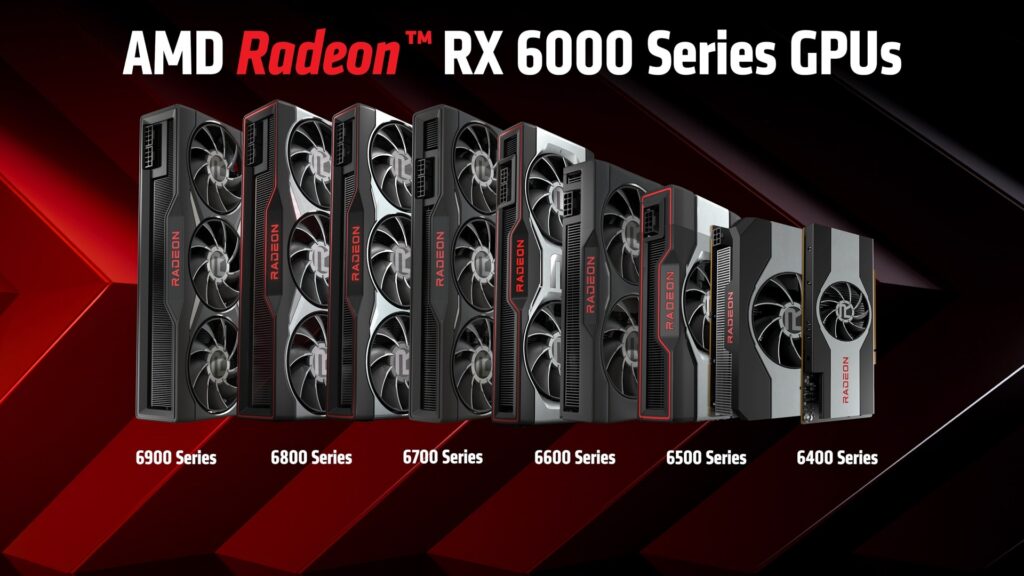
Dedicated hardware performs those tests in parallel. AMD states plainly that “hardware accelerated ray tracing only works on AMD RDNA 2 architecture GPUs or newer,” and that first-generation RDNA graphics cards have no hardware ray tracing acceleration at all. AMD GPUOpen The same principle holds across vendors: NVIDIA’s RTX line and Intel’s Xe HPG and Xe HPC parts include hardware units for ray tracing.
Intel’s Embree project illustrates the other end of the spectrum. Embree is “a high-performance ray tracing library developed at Intel,” released under the Apache 2.0 license and built to serve “photo-realistic rendering applications” and “production rendering.” Intel Embree It is used heavily in offline and CPU-based rendering, but its documentation notes it also supports Intel GPUs “based on the Xe HPG and Xe HPC microarchitecture, which support hardware accelerated ray tracing.” Intel Embree
What ray tracing actually changes on screen
To see why the effect matters, it helps to split ray tracing into the specific things it draws. Reflections are the most obvious: a ray tracer can mirror a scene in glass, water, or a wet street accurately, including objects that are off screen, where a rasterizer often relies on screen-space reflections that break when the reflected object is not already visible. Shadows become softer and more physically correct because they are traced from actual light sources rather than approximated with a fixed shadow map. Global illumination and ambient occlusion improve, too, because light can be traced as it bounces from one surface onto another, brightening corners and coloring nearby surfaces in ways a flat lighting model misses.
These effects are not equally expensive. Reflections and shadows trace a limited number of rays, while full global illumination can require rays in many directions for every pixel, which is why games expose them as separate toggles. A title that enables only ray-traced reflections often costs far less than one that enables full path tracing, and the visual difference between those two settings can be larger than the difference between no ray tracing and reflections alone.
The software layer: DirectX Raytracing and other APIs
Hardware is only useful if a game can talk to it. On Windows, Microsoft defines ray tracing inside DirectX 12 through an API called DirectX Raytracing, or DXR. Microsoft’s reference documentation catalogs the machinery: acceleration structures that hold the scene geometry, state objects that describe the shader pipeline, dispatch calls that launch rays into the scene, and “hit groups” that run when a ray intersects something. Microsoft Learn
The same reference also documents concepts like ray flags, geometry flags, and ray tracing tiers, which let a game query what a particular GPU is capable of before it enables an effect. Microsoft Learn A parallel API, Vulkan ray tracing, brings the same capability to Linux and other platforms. And AMD’s HIP RT is a lower-level library designed to be “minimal, lower level, and simple to use,” making it easy to add ray tracing to existing HIP applications. AMD GPUOpen
Why ray tracing costs so much
Ray tracing is expensive for reasons that compound. First, light is random, so a naive ray tracer needs many rays per pixel to produce a clean image; send too few and the picture looks grainy. Games clean up that noise with a denoiser, which is itself a real cost. Second, every bounce multiplies the work: a ray that reflects three times performs roughly three times the traversal. Third, the BVH has to be built or updated when geometry moves, adding a constant overhead that rasterization simply does not have.
There is a memory cost as well. The acceleration structures that organize the scene take up video memory, and a scene with a lot of moving geometry has to keep those structures up to date. Denoising and the extra intermediate buffers used by ray-traced effects also consume memory, which is why ray tracing tends to demand more VRAM than the equivalent rasterized scene.
This is why most shipping games do not path-trace every pixel every frame. Instead they use hybrid rendering: rasterize the scene for the base image, then trace rays selectively for specific effects such as reflections, shadows, or global illumination. Hybrid rendering keeps the biggest visual wins while holding frame rates at playable levels. It is a deliberate compromise, not a failure of the technology.
Where upscaling and frame generation fit in
The cost of ray tracing is a large reason image-reconstruction technologies became standard. NVIDIA describes DLSS as “a neural graphics technology that multiplies performance” and notes that it can “improve the image quality of intensive ray-traced content.” NVIDIA Developer The pairing is not accidental: ray tracing raises the rendering workload, and upscaling buys back headroom by rendering at a lower resolution and reconstructing the final image. Frame generation can add further smoothness. These technologies are complementary to ray tracing, not rivals.
What it means for players
The practical meaning of ray tracing comes down to a few concrete trade-offs. The first is hardware. Because acceleration requires dedicated units, ray tracing performance varies enormously by GPU generation and vendor. On PC, whether your card has hardware ray tracing support – and how fast that support is – decides whether you can enable it at all. AMD’s documentation makes the cutoff explicit: RDNA 2 or newer has the acceleration, RDNA 1 does not. AMD GPUOpen
The second is settings. Most games expose ray tracing as a set of individual toggles – reflections, shadows, global illumination – plus a global quality preset. Each effect you switch on adds cost, and the visual return is not equal for every effect. Reflections in puddles and glass are usually obvious; a subtle change to ambient occlusion is often not worth the frame rate.
The third is the fidelity-versus-performance choice, which is sharpest on consoles. The PlayStation 5 and Xbox Series X|S both use AMD RDNA 2 graphics, so they have the hardware for ray tracing, but their fixed power and thermal budgets mean games typically offer a fidelity mode with ray tracing at 30 frames per second alongside a performance mode with higher frame rates and reduced or disabled ray tracing. On PC the same choice exists but is more granular, because you can tune each setting yourself.
For most players, the sensible approach is to start from a game’s preset, then adjust one effect at a time while watching the frame rate. Because the payoff of each effect varies by scene, a setting that looks great in a rain-soaked city street may be invisible in an interior corridor. The goal is not to maximize the number of toggles but to keep the effects that are actually visible in the game you are playing.
Limitations worth knowing
Ray tracing is not a universal upgrade. A scene with carefully authored static lighting can look nearly as good without it, and the performance cost may not be justified on lower-end hardware. The technology also has artifacts of its own: denoisers can leave smearing or ghosting in motion, and reflections are often limited to a small number of bounces or a lower internal resolution to keep costs down. These are active areas of development rather than solved problems.
Finally, the benefit depends on the game. Titles with reflective surfaces, wet streets, glass, and dramatic lighting show ray tracing off; flatly lit scenes show it far less. As hardware gets faster and denoisers improve, the technology becomes more affordable, but the honest summary is that ray tracing trades performance for realism, and the best setting for any given system depends on which of those two a player values more.